Adding and styling text
Your own text can go into your book in two ways: on top of the photos, or in a place of its own between the photos. You choose under 'Tekst toevoegen' in the Verhaal tab.
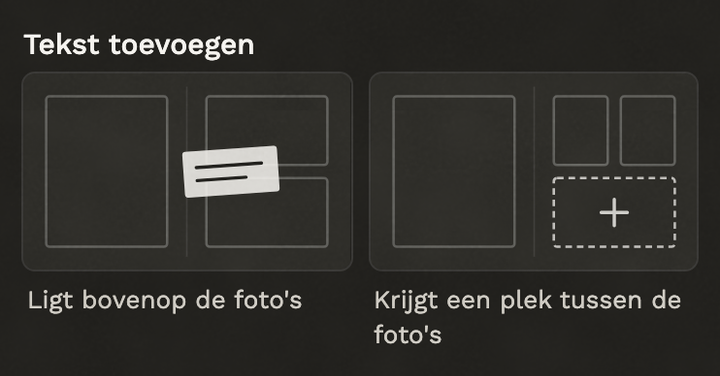
- 'Ligt bovenop de foto's' (on top of the photos): the text lands in an empty spot and nothing moves. Drag it where you want it.
- 'Krijgt een plek tussen de foto's' (a place between the photos): the pages are laid out again with room for your text, and you can type straight away.
- Style it: click the text. On the right you choose the font, colour, size, position and a background.
- All the book's fonts at once: click a text and choose 'Lettertypes van het boek wijzigen'.
Why is 'between the photos' sometimes not possible?
There has to be room in the layout. There isn't when a photo runs over the fold, when a photo fills the whole page, when the layout has no place for text, or when the text would grow to take up a large part of the page. Put your text on top of the photos instead, or choose another layout first.
Moved a text out of the layout?
Click it and choose 'Terug naar zijn plek in de indeling'.
Still stuck? Mail us at help@joypress.nl. We usually reply within a day.